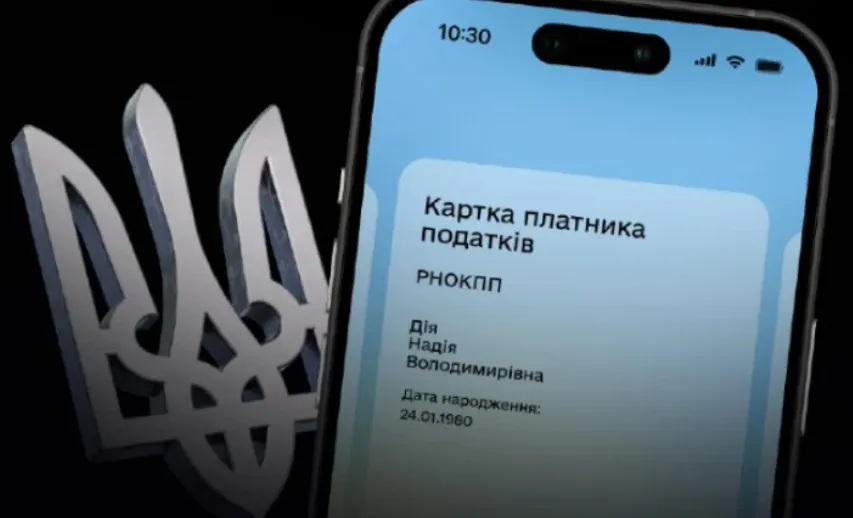
The e-Taxpayer Card is now in use: how to apply for a tax identification number for yourself and your child

What has changed: new opportunities for young people and parents
As the developers explain, the newly created electronic card with a QR code has the same legal validity as the standard paper form with a stamp. Thanks to the joint efforts of the Ministry of Digital Transformation, the State Tax Service and the Consular Service of the Ministry of Foreign Affairs, the service has become as accessible as possible.
Key innovations:
- For teenagers: Any Ukrainian citizen aged 14 or over can order a taxpayer e-Card independently directly on their smartphone.
- For parents: Adults can now order an e-Taxpayer Card for themselves, as well as remotely apply for a RNO-KPP (taxpayer registration number) for their children under the age of 17. The completed child’s document will automatically appear in the parent’s app.
It is important to note that this digital change is fully adapted to the realities of wartime. The service also works for children who are outside Ukraine due to the war — data processing takes place via the ‘e-Consul’ system. It is worth remembering that having a tax code is now critical for many procedures. For example, as we reported earlier, a tax number has been mandatory when applying for a foreign passport since February 2026.
Step-by-step guide: how to generate the document
The application process is as simple as possible and takes just a few minutes. To obtain an RNO-KPP for a child, you need to:
- Open the ‘Diya’ app on your smartphone.
- Go to the ‘Tax Services’ section.
- Select the option ‘Tax number for a child’.
- Enter or confirm your current contact details.
- Carefully check the generated application and sign it using ‘Diya.Sign’.
The same procedure applies when ordering an e-Card for yourself or for a child’s existing number:
- In the ‘Tax Services’ section, select ‘Taxpayer e-Card for yourself or a child’.
- Enter the required contact details.
- Check the information and apply a digital signature using ‘Dія.Підпис’.
Follow us on Telegram